Coming soon · Release date: October 15, 2026 · Info based on official announcements Official store ↗
UpdatedBluey's Happy Snaps FAQ: Release, Co-op, and Editions
Bluey's Happy Snaps FAQ covers the October 15 release, platforms, local co-op, editions, price, and PC requirements. Plan your family's photo adventure.
Jump to
Bluey's Happy Snaps Release Date and Platforms
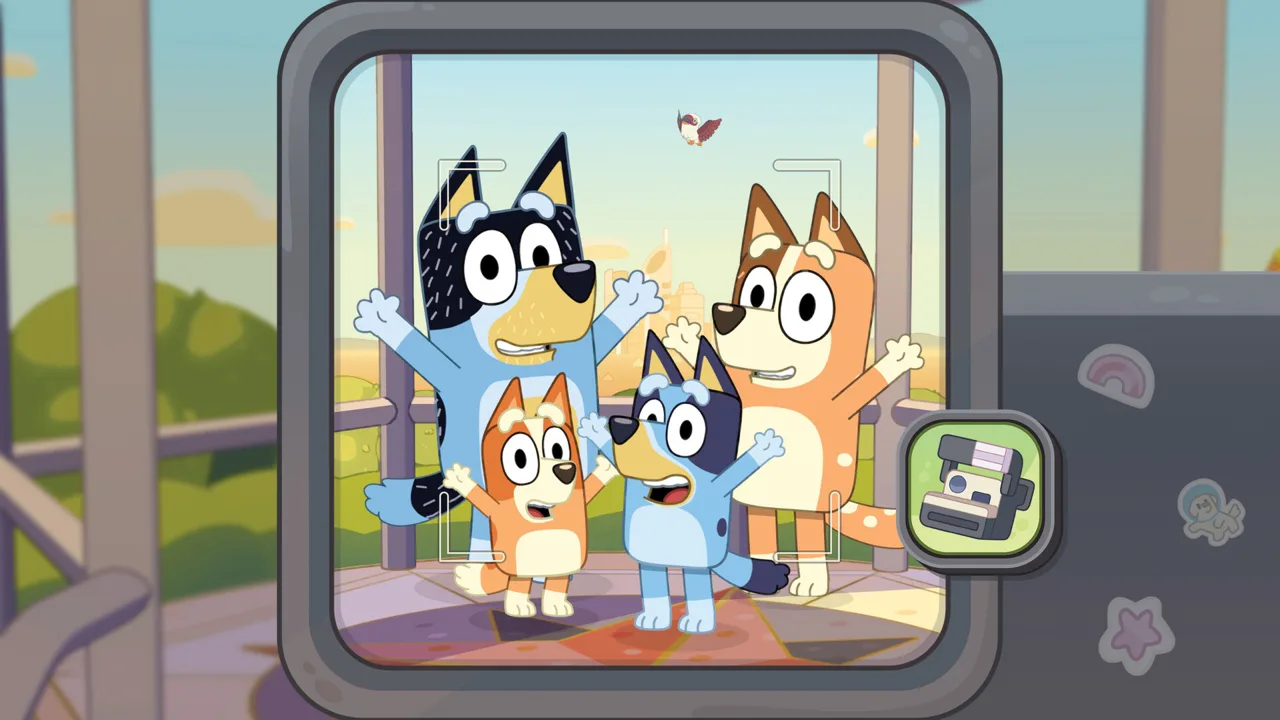
Dad’s old camera is about to turn a family outing into a scrapbook adventure, and this Bluey's Happy Snaps FAQ explains what you can expect. Before choosing a copy, you’ll want to know the release date, supported systems, and how playing together works. This Bluey's Happy Snaps FAQ brings those details together so you can plan your family’s next visit to Bluey’s world.
Bluey's Happy Snaps is scheduled to launch on October 15, 2026. As of October 9, it remains an upcoming release, so the gameplay details below describe its announced features.
Gameloft develops and publishes the game. Gameloft Brisbane created it in collaboration with Ludo Studio and BBC Studios, bringing the adventure to life in Bluey’s hometown.
Digital versions cover PC and both current and previous-generation PlayStation and Xbox systems, alongside Nintendo Switch and Nintendo Switch 2. Physical availability is narrower and depends on your market.
| Platform | Digital release | Physical release announced |
|---|---|---|
| PC | October 15, 2026 | Not listed |
| PlayStation 4 | October 15, 2026 | Not listed |
| PlayStation 5 | October 15, 2026 | October 15 in select markets |
| Xbox One | October 15, 2026 | October 15 in select markets |
| Xbox Series X|S | October 15, 2026 | October 15 in select markets |
| Nintendo Switch | October 15, 2026 | October 15 in select markets |
| Nintendo Switch 2 | October 15, 2026 | October 15 in select markets |
For a physical purchase, check the retailer’s platform and edition details before ordering. A digital release on a system does not automatically mean a boxed version is available there.
PC players can wishlist Bluey's Happy Snaps on Steam for an availability notification. The announced date does not establish a specific unlock hour, so avoid planning around an assumed midnight launch.
What You Do With Bluey, Bingo, and the Camera
The gameplay question at the heart of this Bluey's Happy Snaps FAQ is straightforward: what actually fills the adventure? Bluey and Bingo discover Dad’s old camera, then use it while exploring their family home and recognizable locations around Brisbane.
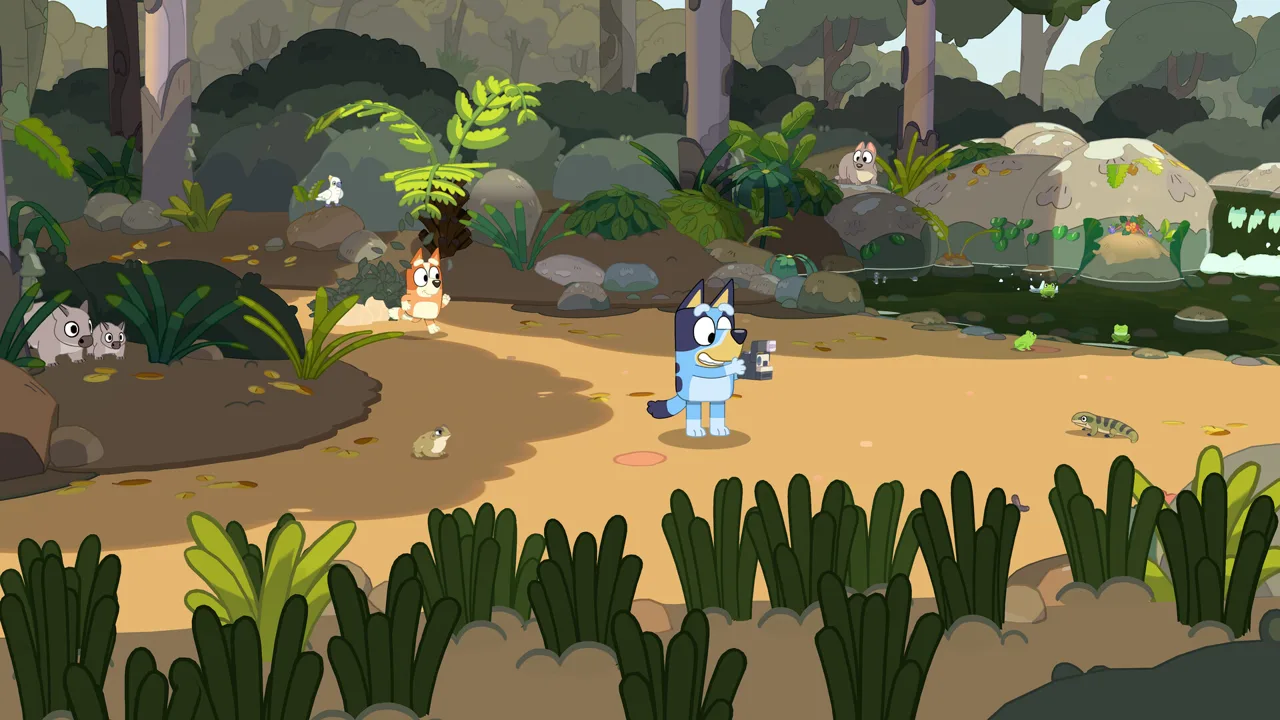 Image: Steam / Gameloft
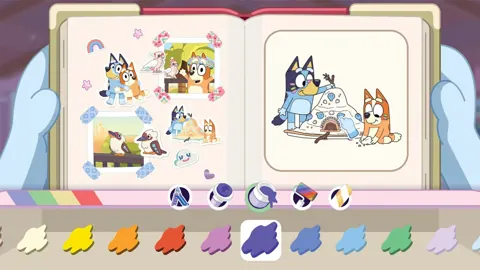
Photography connects the activities. You take pictures of games, wildlife, and memorable moments, with snapshots saved to Bluey’s in-game scrapbook. Along the way, the camera also lets you unlock stickers and decorations for personalizing that collection.
The scrapbook gives those pictures a creative purpose. You can arrange snapshots, color in, and decorate pages. The official Bluey game page describes hundreds of stickers and decorations to collect, though it does not break that total into separate categories.
You’ll also encounter activities drawn from the show, including:
- Chasing water dragons along the riverbank associated with “Ice Cream.”
- Photographing the city skyline from the lookout featured in “The Sign.”
- Racing Barky Boats down a stream.
- Playing I-Spy while traveling between locations.
- Exploring with toys and chasing bin chickens.
These examples establish the game’s playful focus without implying that every activity follows the same rules. Exact objectives, camera controls, and collection requirements are not detailed here.
A good approach is to let each outing suggest a scrapbook theme. Wildlife photos could sit together, while another page could hold pictures of toys or familiar scenery. Since arranging snapshots is an announced feature, this gives your collection a personal direction without depending on an unconfirmed scoring system.
The “For Real Life” ideas extend that theme beyond the screen. The game includes suggestions such as backyard birdwatching and imaginative play with favorite toys. Families could choose an idea that fits their surroundings and use it as inspiration after a session.
Those prompts are part of the experience; they do not establish a requirement to complete real-world activities to progress.
Local Co-op, Buddy Mode, and Family Play
Playing together is another key part of this Bluey's Happy Snaps FAQ. The game supports solo play and a second player joining alongside the main player.
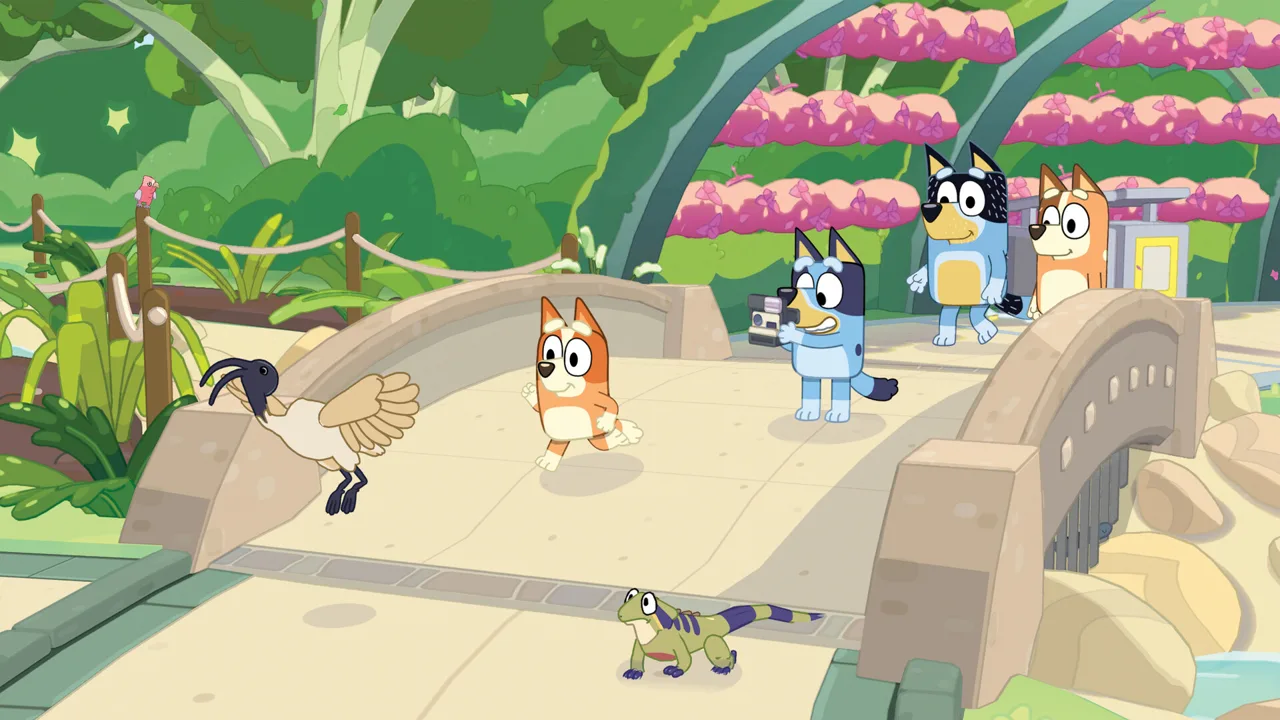 Image: Steam / Gameloft
Nintendo calls the shared experience Buddy mode. The main player leads the adventure behind the camera, while the second player can explore, pose for pictures, and play with toys alongside them.
That role split offers a clear starting point for a family session: one person handles photography while the other helps create moments to capture. The announced description does not explain character selection, controller assignments, or whether roles can be swapped through a particular menu.
| Feature | Announced details |
|---|---|
| Solo play | Supported |
| Shared play | A second player can join side-by-side |
| Main player’s role | Leads the adventure behind the camera |
| Second player’s activities | Exploring, posing, and playing with toys |
| Online play | No online play |
| In-game purchases | No in-game purchases |
| ESRB rating | E for Everyone |
A useful tip is to agree on a photo idea before exploring. Your companion might pose near a familiar location or play with a toy while you look for a picture you want in the scrapbook. That suggestion follows the advertised roles without assuming timed challenges or bonus rewards.
Shared play is local; online multiplayer is not offered. If you hope to play with a relative in another household, the announced Buddy mode does not provide that option.
The absence of in-game purchases also answers a practical question for parents. Stickers and decorations are described as camera-related unlocks, rather than items bought through an in-game shop.
The E rating provides an age-rating reference, but it does not tell you how easily a particular child will manage the controls. Playing together may help you assess that once the game is available.
Standard, Deluxe, and Activity Book Editions
Edition names can hide meaningful differences, so this Bluey's Happy Snaps FAQ separates the listed contents. Gameloft presents Standard, Deluxe, and Activity Book options, with digital extras and physical activities appearing in different packages.
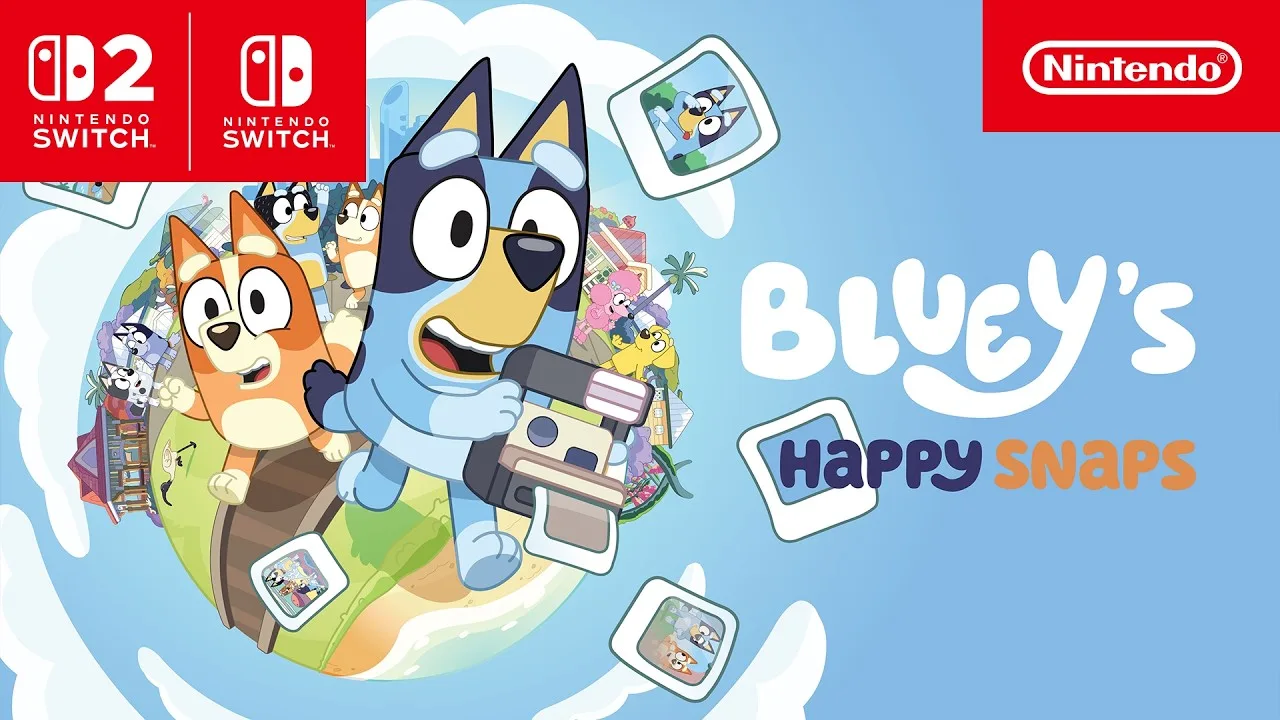 Image: YouTube / NintendoAU
| Edition | Listed contents | Availability detail |
|---|---|---|
| Standard | Activity Cards | Listed on Gameloft’s edition page |
| Deluxe | “Here Come the Grannies” bonus digital content, Extra Dress-Up Items, Digital Deluxe Album, Sticker Sheets, and Activity Cards | Listed on Gameloft’s edition page |
| Activity Book Edition | Deluxe Edition, a 44-page activity book, and two extra sticker sheets | Check local retailers |
The Activity Book Edition adds drawing pages and simple activities for children. Its 44-page book gives families a physical activity component alongside the included Deluxe Edition.
For the other listed extras, check the individual product description before purchasing. The edition overview does not fully explain delivery methods, how the Digital Deluxe Album works, or what every part of the “Here Come the Grannies” content contains.
The U.S. Nintendo Switch digital listing shows a regular price of $39.99. That figure applies to the listed Switch product; it should not be treated as a confirmed price for every platform, region, or edition.
A practical buying approach is to identify the extras you actually want. If the activity book is the attraction, look for that exact package name and verify its contents with the retailer. If you are interested in dress-up items, compare the Deluxe listing with the Standard listing before checkout.
“No in-game purchases” and “multiple editions” describe different things. You can choose a package at purchase without the game offering a shop during play.
Prices for Deluxe and Activity Book editions are not established in the details above. Confirm the total cost and availability of your chosen version rather than estimating a premium.
PC Requirements, Steam Deck, and Download Sizes
Before buying the PC version, use this Bluey's Happy Snaps FAQ to compare your hardware with the published requirements. Steam lists a 64-bit processor and operating system, Windows 11 or a valid compatibility layer, and 5 GB of available storage for both specification tiers.
| Component | Minimum | Recommended |
|---|---|---|
| Operating system | Windows 11 or valid compatibility layer | Windows 11 or valid compatibility layer |
| Processor | AMD Ryzen 5 5500 / Intel Core i3-12100F | AMD Ryzen 5 3600X / Intel Core i5-10400 |
| Memory | 8 GB RAM | 16 GB RAM |
| Graphics | AMD Radeon RX 6400 / Nvidia GeForce GTX 1650 | AMD Radeon RX 5700 XT / Nvidia GeForce RTX 2060 Super |
| DirectX | Version 11 | Version 12 |
| Storage | 5 GB available | 5 GB available |
| Network | Broadband internet connection | Broadband internet connection |
Treat these as published specifications, rather than a promise of a particular frame rate or graphics preset. No performance target accompanies them.
Steam also lists Steam Deck compatibility as Verified and recommends playing with a controller. Achievements, Steam Cloud, and Family Sharing appear among the platform features.
On Nintendo systems, the estimated game sizes are:
- Nintendo Switch: 3 GB.
- Nintendo Switch 2: 3.5 GB.
Those are estimates, so check the final download information when installing. The Nintendo listing also shows TV, tabletop, and handheld modes.
Language support deserves a quick check if you’re buying for a multilingual household. Steam lists English interface text, full audio, and subtitles. Its other listed languages support interface text and subtitles, with full audio marked only for English.
These include French, Italian, German, Japanese, Brazilian Portuguese, Simplified Chinese, Traditional Chinese, and both Spain and Latin American Spanish.
Finally, keep internet requirements separate from multiplayer features. Steam specifies broadband internet even though the game has no online play; that alone does not establish whether every part of gameplay requires a connection.
On Nintendo, a Nintendo Switch Online membership is required for Save Data Cloud backup. That backup requirement does not mean Buddy mode is online multiplayer.
FAQ
What release date does this Bluey's Happy Snaps FAQ cover?
The scheduled release date is October 15, 2026. As of October 9, the game has not launched. Digital versions are announced for PC, PS4, PS5, Xbox One, Xbox Series X|S, Nintendo Switch, and Nintendo Switch 2, with physical versions available on selected systems in select markets.
Can you play Bluey's Happy Snaps together?
Yes. A second player can join locally in the shared experience called Buddy mode on Nintendo’s listing. The main player leads behind the camera, while the second player explores, poses, and plays with toys. The game does not offer online play.
Does Bluey's Happy Snaps have microtransactions?
No. As noted in this Bluey's Happy Snaps FAQ, the game description explicitly states that there are no in-game purchases. Stickers and decorations are described as unlockable through camera use. Standard and Deluxe packages are purchase options, with Deluxe adding listed bonus content.
Is Bluey's Happy Snaps available on Steam Deck?
The Steam listing marks it as Steam Deck Verified. PC players are also advised to use a controller. Desktop requirements include 8 GB RAM at minimum and 5 GB of available storage, but no specific frame-rate target is provided.
Continue with
 Bluey's Happy Snaps platforms and wishlist: Launch GuideBluey's Happy Snaps platforms and wishlist guide covers PC and consoles, Steam wishlist steps, editions, and the October 15 release. Get ready to play.
More in Release
Bluey's Happy Snaps developer and publisher: Who Does What?
Meet Bluey's Happy Snaps developer and publisher, learn what Gameloft Brisbane handles, and explore release dates, platforms, editions, and family play.

Bluey's Happy Snaps release date countdown: Launch Guide
Bluey's Happy Snaps release date countdown: Get ready for October 15, 2026, with platform details, editions, Buddy mode, and an easy launch-day checklist.
Bluey's Happy Snaps system requirements: PC Specs Explained
Check Bluey's Happy Snaps system requirements, compare minimum and recommended PC specs, and review Steam Deck support and console storage before launch.
Bluey's Happy Snaps trailer and screenshots: What to Know
See Bluey's Happy Snaps trailer and screenshots, explore photo gameplay and Buddy mode, and find out what to expect before the October 15, 2026 release.
Join the community
Official channels for news, updates and player help: