Coming soon · Release date: October 15, 2026 · Info based on official announcements Official store ↗
UpdatedBluey's Happy Snaps trailer and screenshots: What to Know
See Bluey's Happy Snaps trailer and screenshots, explore photo gameplay and Buddy mode, and find out what to expect before the October 15, 2026 release.
Jump to
What the Overview Trailer Reveals
Dad’s old camera turns an ordinary family outing into a collection of little adventures in Bluey's Happy Snaps trailer and screenshots. For families considering the game before its October 15, 2026 release, the preview explains how photography, exploration, and shared play fit together. Bluey's Happy Snaps trailer and screenshots introduce a game where taking pictures is part of the fun, alongside discovering familiar places and decorating the memories you bring home.
The setup starts with Bluey and Bingo finding Dad’s camera. They take it along as they visit favorite places, meet friends, spot wildlife, and play with toys. Photos become material for scrapbooks, giving each outing something you can arrange and personalize afterward.
The overview trailer featuring Bindi Irwin puts particular emphasis on animals and activities that families can recognize beyond the screen. It also explains the Buddy mode roles more clearly than a still image can: one person controls the camera while the other explores and poses.
| Feature | What the preview explains |
|---|---|
| Photography | Take pictures of places, friends, animals, and playtime moments |
| Exploration | Visit Bluey’s home and familiar locations around Brisbane |
| Scrapbooks | Arrange photos, add collected stickers, and customize pages |
| Shared play | A second player can explore, pose, and interact with toys |
| Real-world activities | Discover play and craft ideas with tips for grown-ups |
A useful approach when watching is to follow the relationship between those activities. Notice how an outing provides things to photograph, then how those pictures become part of a scrapbook. That connection explains the game’s central idea more clearly than any individual character appearance.
As of October 9, the game has not launched. Treat this as a preview of announced features; details such as control responsiveness and the overall length of the adventure still need a released version to assess.
Familiar Places, Wildlife, and Games Along the Way
The adventure begins at Bluey’s house, where rooms contain surprises and scrapbooks provide access to other destinations. The overview specifically calls attention to the girls’ room before taking the family farther into the neighborhood.
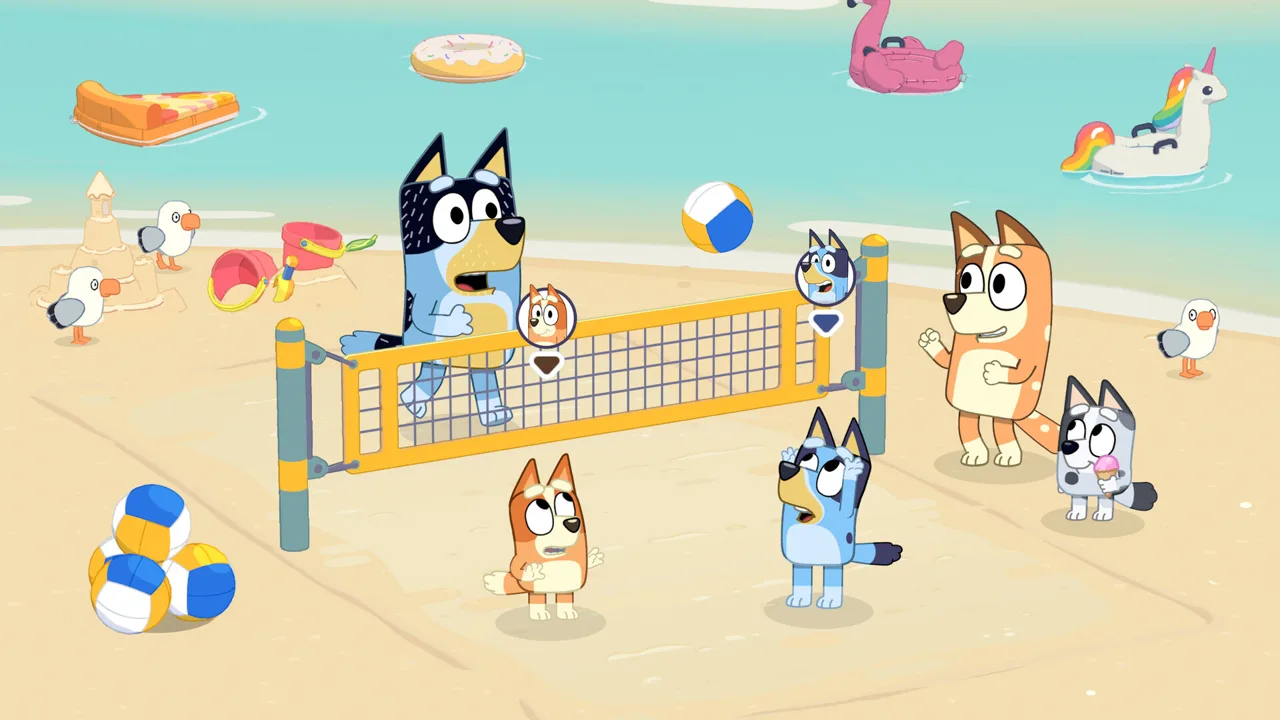 Image: Steam / Gameloft
Bluey's Happy Snaps trailer and screenshots are especially useful for fans interested in visiting places from the show. The announced destinations include Hammerbarn, South Bank, a park reached by ferry, and the lookout associated with “The Sign.”
These settings give photography different subjects: family spaces, outdoor scenery, friends, and Australian wildlife. The announcement names lorikeets and koalas among the animals, while the Nintendo description also mentions water dragons along the riverbank.
| Location | Announced connection or activity |
|---|---|
| Bluey’s house | Explore rooms, discover surprises, and find scrapbooks |
| Hammerbarn | Visit the familiar destination featured in the overview |
| South Bank | Encounter bin chickens, sandcastles, and ice cream |
| The Park | Travel by ferry to the location associated with “Spy Game” |
| The lookout | Photograph the city skyline at the setting from “The Sign” |
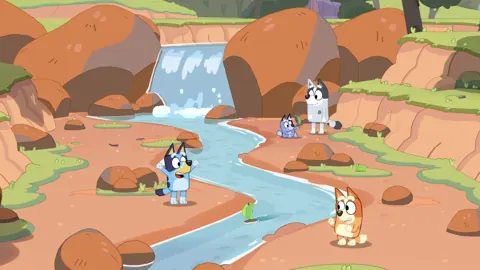
There are activities between destinations, too. The overview describes playing I Spy while traveling, using what you can spot outside the window as part of the journey. The Nintendo listing also mentions racing Barky Boats down a stream.
For a family watching together, a good approach is to pause after a destination is introduced and let everyone name something they would like to photograph there. One child might choose an animal, while another might prefer a friend or the skyline. That discussion follows the game’s photography theme without assuming a particular objective system.
Keep animal expectations specific to what has been announced. Bindi’s hope of seeing a wallaby is an enthusiastic comment in the trailer, rather than a confirmed wildlife list. Lorikeets, koalas, and water dragons have firmer support in the game descriptions.
The locations also help explain why toys matter. Play objects appear throughout the adventure, so exploring a destination involves more than finding scenery for the camera.
How Photography and Scrapbook Customization Work
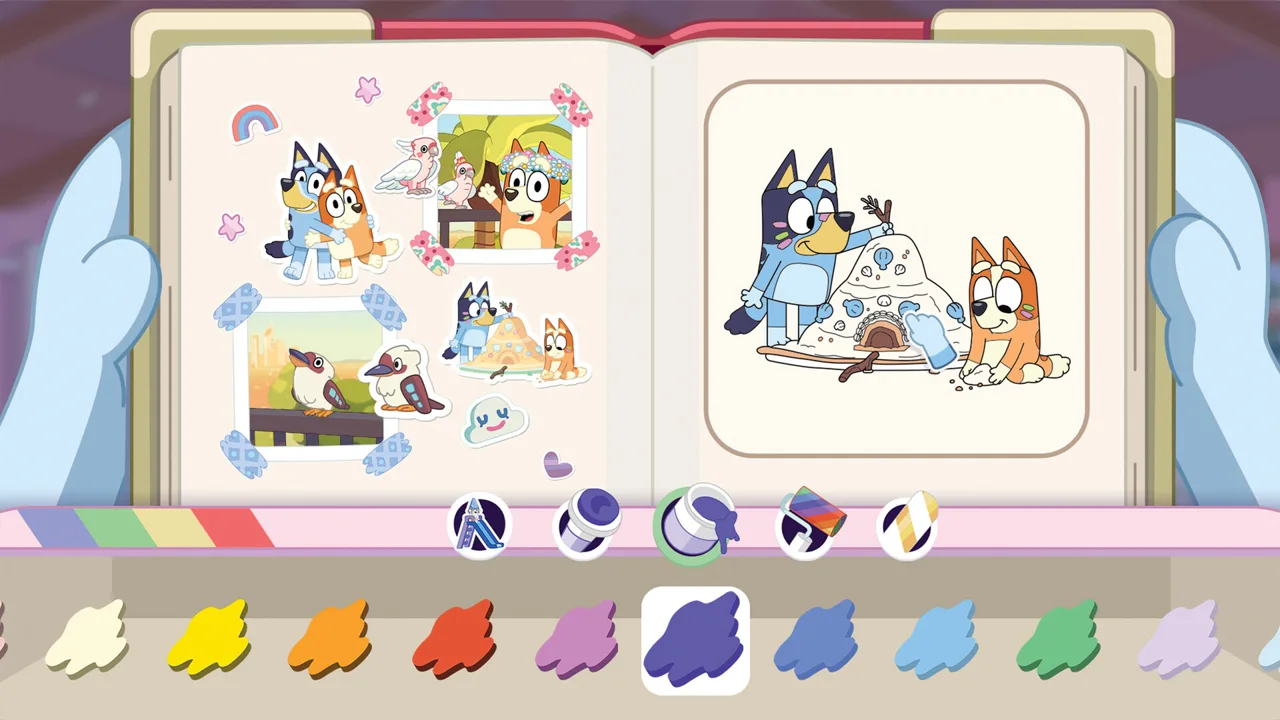
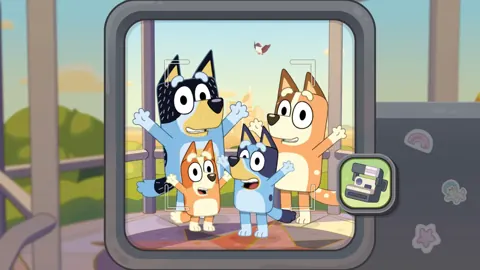
The scrapbook gives the photos a purpose beyond taking the shot. Each place has its own scrapbook to fill, and the overview also describes a personal scrapbook that you can customize your own way.
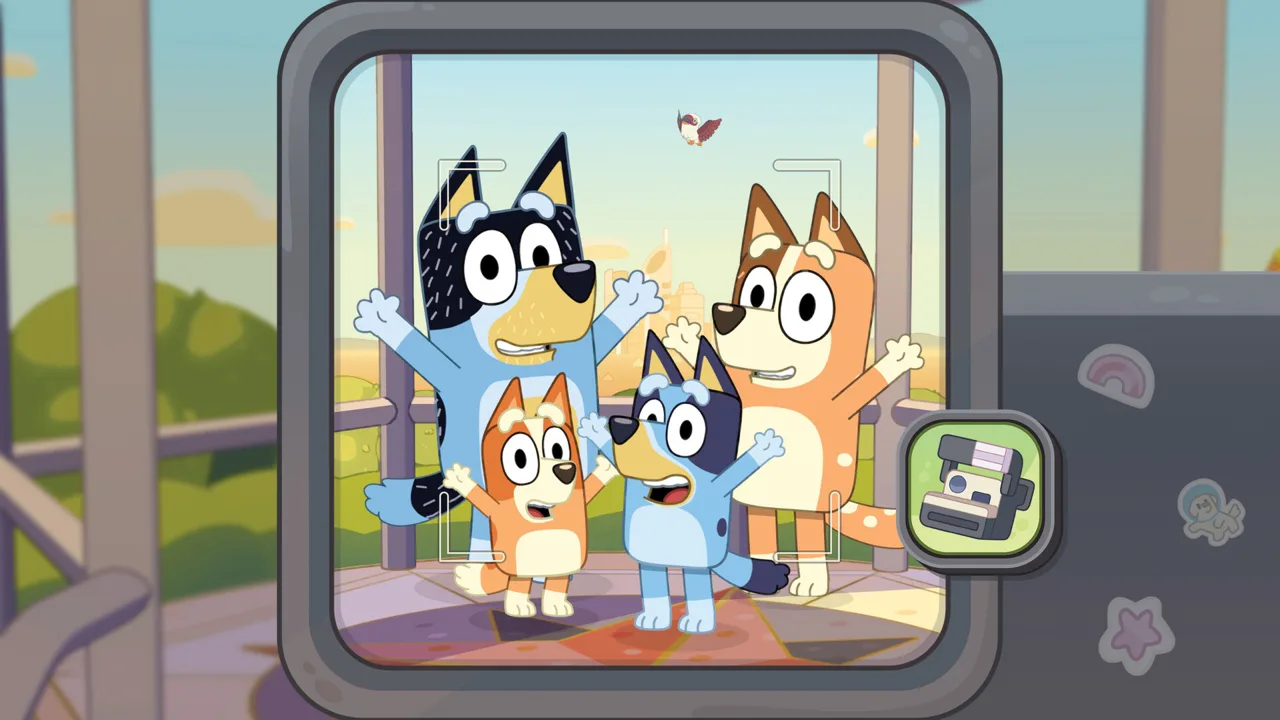 Image: Steam / Gameloft
Bluey's Happy Snaps trailer and screenshots introduce several creative tools: arranging snapshots, adding stickers, decorating pages, and coloring. The official game description also lists costumes among the items connected to photography and collecting.
That leaves room for different kinds of creative play. Someone who enjoys finding animals can focus on wildlife pictures, while someone who likes decorating can spend time arranging those memories afterward.
| Scrapbook feature | What players can do |
|---|---|
| Photos | Keep snapshots taken during the adventure |
| Stickers | Add collected stickers to scrapbook pages |
| Decorations | Personalize the scrapbook with decorative items |
| Coloring pages | Color pages found inside the scrapbooks |
| Photo arrangement | Organize snapshots into a personalized keepsake |
A good approach is to think about a page theme before choosing pictures. For example, an animal page could bring wildlife photos together, while a family outing page could combine friends, scenery, and playful moments. These are creative suggestions, rather than required tasks or confirmed scoring rules.
If you are choosing the game for a child who enjoys drawing or sticker books, watch for the scrapbook segment of the overview. It explains a substantial part of the experience that can be easy to miss when focusing on the locations.
The descriptions say photography can unlock stickers and decorations, but they do not explain precise requirements. There is no established basis here for promising a reward after a certain number of photos, a particular completion percentage, or a specific picture composition.
Likewise, storing pictures in an in-game scrapbook does not establish that you can export them to a phone or print them. The announced feature is a keepsake inside the game. Families interested in sharing pictures outside it should check the released game’s options before relying on that possibility.
Buddy Mode and Ideas for Play Beyond the Screen
Shared play has a clear division of roles. The main player leads behind the camera, while a second player joins the outing, strikes poses, explores, and plays with toys. Nintendo calls this Buddy mode.
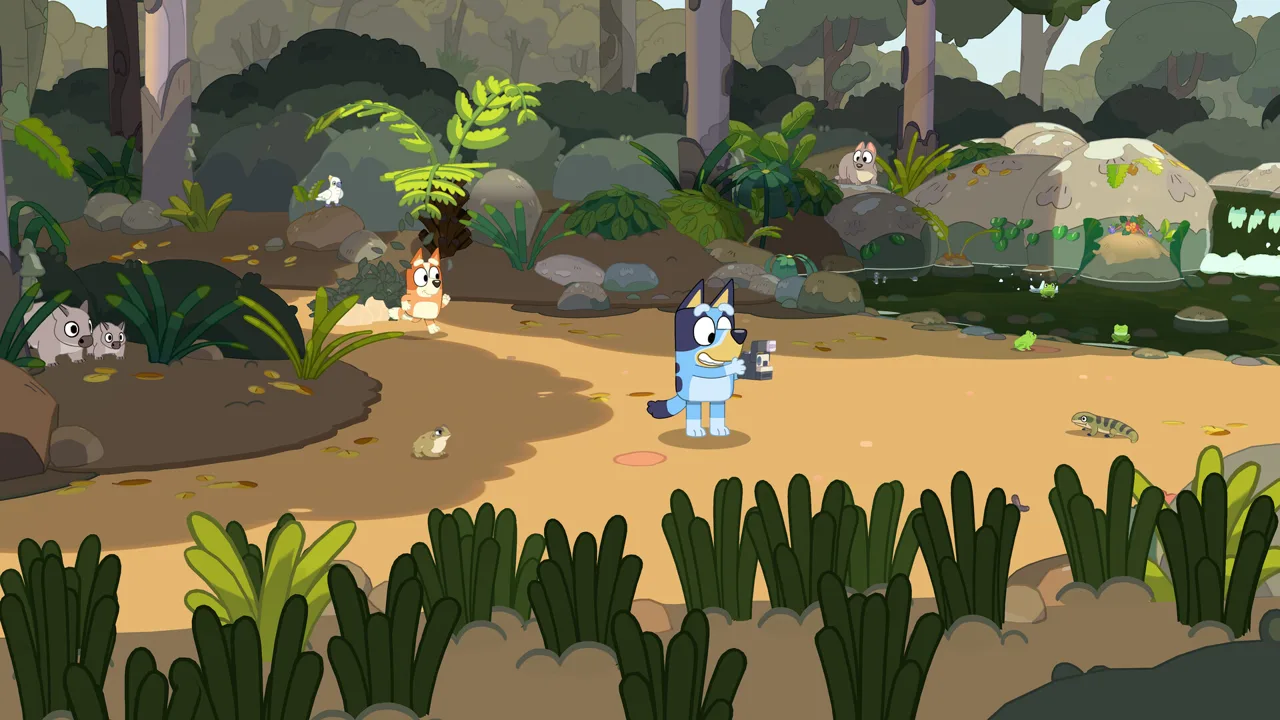 Image: Steam / Gameloft
That distinction is useful when deciding how to play together. Both people participate in the same adventure, but the announced setup gives them different things to do.
Bluey's Happy Snaps trailer and screenshots also show why a parent or sibling might want to join: taking a picture can become a small cooperative activity. One person chooses the subject while the other contributes a pose or a playful moment.
A good approach is to agree on what you want to photograph before setting up a picture. You could choose an animal, a location, or a toy activity, then let the second player help create the moment. The announced roles support that kind of collaboration without requiring assumptions about role switching.
The game’s “For Real Life” activities extend that idea beyond the console. Examples include:
- Racing Barky Boats in a creek, bath, or bucket of water.
- Making bubble wands.
- Creating flower crafts.
- Trying birdwatching in your backyard.
- Setting up imaginative play with familiar toys.
The overview says these activities include helpful tips for grown-ups. For families interested in the craft side, a practical approach is to choose an activity together after encountering it in the game and follow its accompanying guidance.
There is no need to turn every session into a project. The feature offers ideas that families can pick from according to their interests and available materials.
The game descriptions explicitly state that there are no in-game purchases and no online play. Buddy mode is a side-by-side option for sharing the adventure with someone nearby. Do not interpret Steam’s multiplayer tag or a store’s general online-service wording as a promise of online co-op.
Where to Find Screenshots and What to Check Before Release
For a closer look at Bluey's Happy Snaps trailer and screenshots, the media galleries serve a different purpose from the overview video. The trailer explains activities in motion; screenshots let you spend more time examining individual scenes and presentation details.
Gameloft’s game page includes a media gallery, while the Steam and Nintendo listings also provide promotional images. The available image labels do not identify every scene, so avoid treating an unlabeled picture as proof of a particular location or mechanic.
When browsing Bluey's Happy Snaps trailer and screenshots, look for the parts of the game that matter to your household:
- Locations: Check which environments are pictured and which ones your family recognizes.
- Scrapbooks: Look for examples of photo arrangement, stickers, and coloring.
- Shared play: Use the trailer’s explanation to understand the different player roles.
- Photography: Watch the overview for context around taking pictures, rather than relying only on still images.
Screenshots alone cannot establish frame rate, loading times, or how easily a young child can navigate the controls. They can help you understand the presentation, but those practical questions require more information.
The release details provide a few concrete points to check before buying:
| Detail | Announced information |
|---|---|
| Release date | October 15, 2026 |
| Development | Gameloft Brisbane, working with Ludo Studio and BBC Studios |
| PC availability | Steam listing |
| Nintendo Switch digital price | $39.99 on the U.S. Nintendo listing |
| Steam Deck status | Listed as Verified |
| In-game purchases | None |
| Online play | None |
The overview video is labeled for Nintendo Switch 2, while the provided Nintendo product page identifies its selected version as Nintendo Switch. Check the exact platform and edition before purchasing; a trailer label does not explain every version difference.
For PC players, Steam recommends a controller and lists 5 GB of available storage. You can view Bluey’s Happy Snaps on Steam to check system requirements and add the game to your wishlist.
Edition extras also deserve a look. Gameloft lists a Standard edition, a Deluxe edition with additional digital content and dress-up items, and an Activity Book Edition that includes the Deluxe edition, 44 activity pages, and two extra sticker sheets. Activity Book Edition availability depends on your local retailer.
FAQ
Where can I watch Bluey's Happy Snaps trailer and screenshots?
The overview trailer featuring Bindi Irwin explains photography, destinations, scrapbook customization, and shared play. Screenshot galleries are available on Gameloft’s game page and the Steam and Nintendo store listings.
When does Bluey’s Happy Snaps release?
Bluey’s Happy Snaps is scheduled to release on October 15, 2026. As of October 9, it remains an upcoming game.
Can two people play Bluey’s Happy Snaps together?
Yes. Buddy mode allows a second player to join side by side. The main player controls the camera, while the second player can explore, pose, and play with toys.
Does Bluey’s Happy Snaps have online play or in-game purchases?
No. The game descriptions explicitly state that Bluey’s Happy Snaps has neither online play nor in-game purchases. Its shared adventure is designed for side-by-side participation.
Continue with
 Bluey's Happy Snaps developer and publisher: Who Does What?Meet Bluey's Happy Snaps developer and publisher, learn what Gameloft Brisbane handles, and explore release dates, platforms, editions, and family play.
More in Release
Bluey's Happy Snaps FAQ: Release, Co-op, and Editions
Bluey's Happy Snaps FAQ covers the October 15 release, platforms, local co-op, editions, price, and PC requirements. Plan your family's photo adventure.
Bluey's Happy Snaps platforms and wishlist: Launch Guide
Bluey's Happy Snaps platforms and wishlist guide covers PC and consoles, Steam wishlist steps, editions, and the October 15 release. Get ready to play.
Bluey's Happy Snaps release date countdown: Launch Guide
Bluey's Happy Snaps release date countdown: Get ready for October 15, 2026, with platform details, editions, Buddy mode, and an easy launch-day checklist.
Bluey's Happy Snaps system requirements: PC Specs Explained
Check Bluey's Happy Snaps system requirements, compare minimum and recommended PC specs, and review Steam Deck support and console storage before launch.
Join the community
Official channels for news, updates and player help: