Bluey's Happy Snaps FAQ: Co-Op, Platforms, and More
Explore Brisbane with Bluey and Bingo in Bluey's Happy Snaps. Get answers on local co-op, platforms, editions, scrapbook features, and language options.
Jump to
Bluey's Happy Snaps FAQ: What Do You Need to Know?
Dad’s old camera turns a family outing into a scrapbook adventure, and this Bluey's Happy Snaps FAQ covers what you need before joining in. Knowing how two-player play, editions, and language options work helps you choose your copy and plan a family session. This Bluey's Happy Snaps FAQ also walks through photography, familiar destinations, and the activities that keep the fun going beyond the screen.
Bluey’s Happy Snaps is a photography-focused adventure with solo play and two-player local co-op. You explore with Bluey and Bingo, photograph characters and Australian wildlife, and decorate a scrapbook with your discoveries.
Here are the essentials:
| Question | Answer |
|---|---|
| When did it launch? | The global launch date was October 15, 2026. |
| Which platforms support it? | Nintendo Switch, Nintendo Switch 2, PS4, PS5, Xbox One, Xbox Series X|S, and Windows PC |
| How many people can play together? | Two players through local co-op |
| Does it have online multiplayer? | No |
| Are there in-game purchases? | No |
| What is its ESRB rating? | E for Everyone |
On PC, you can find the game through Steam, Epic Games Store, and Xbox on PC. It also supports Xbox Play Anywhere.
The adventure centers on exploration, imaginative games, photography, and creative decorating. Young children are its intended audience, while local co-op gives a sibling or grown-up a way to join the outing. Expect familiar characters, toys, and places woven into activities you can enjoy together.
What Can You Explore, Photograph, and Collect?
Bluey and Bingo find Bandit’s old camera and take it around their home and Brisbane. Photography connects the adventure’s different activities: you capture games, wildlife, friends, and unexpected moments, then keep those memories in your scrapbook.
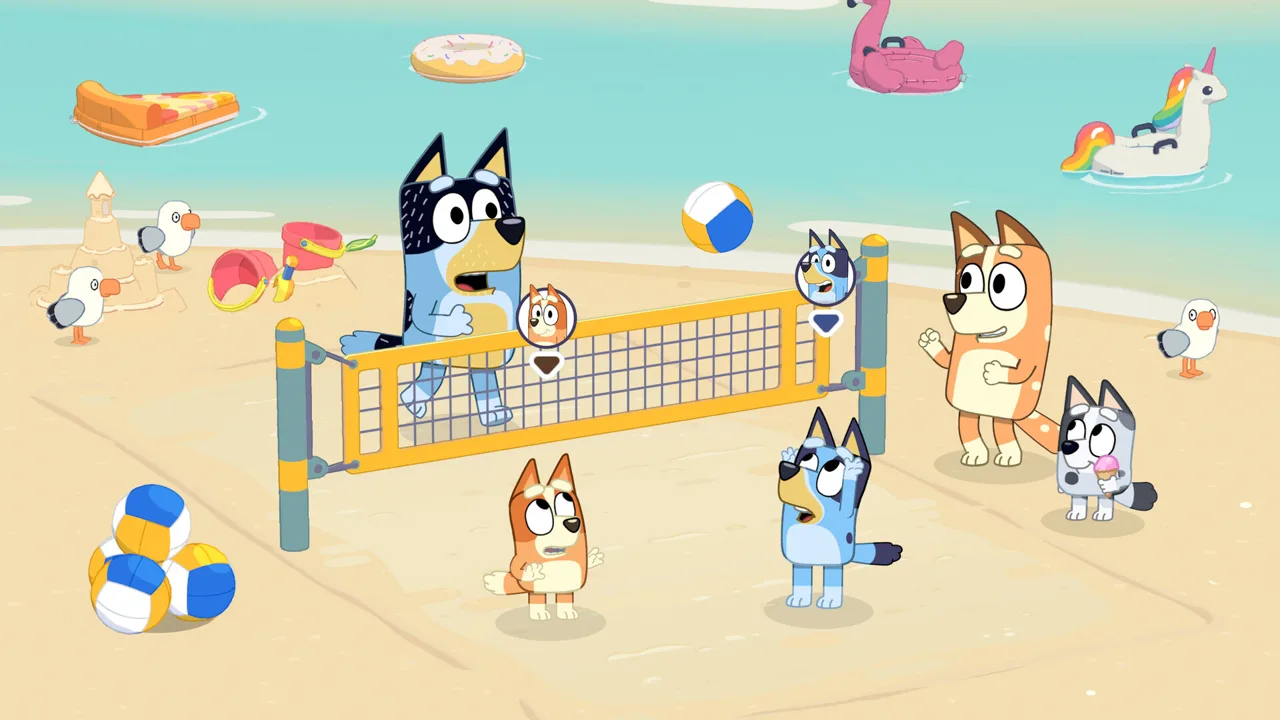 Image: Steam / Gameloft
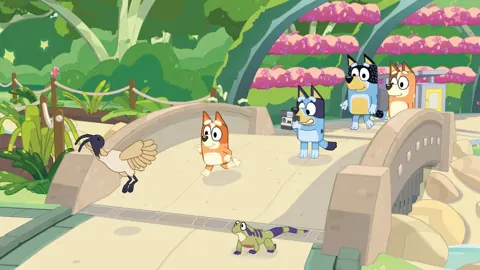
There is plenty to recognize if you watch the show. The Heeler home appears alongside destinations such as South Bank, The Park, The Lookout, and Hammerbarn.
| Place | What you can discover | Connection to the show |
|---|---|---|
| Heeler family home | Familiar surroundings, interactive details, toys, and play activities | Bluey and Bingo’s home |
| South Bank | Bin chickens, water dragons, and wildlife photography | “Ice Cream” |
| The Park | A destination reached by ferry | “Spy Game” |
| The Lookout | Views across the city skyline | “The Sign” |
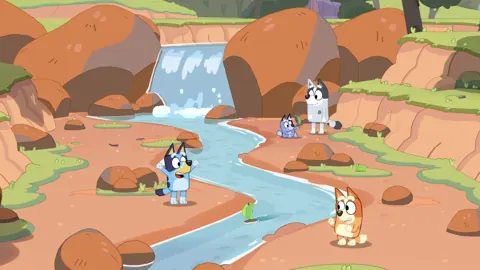
You also spend time with friends including Muffin, Chloe, Winton, and Lucky. Activities include Shadowlands, Magic Cauldron, racing Barky Boats down a stream, and playing I-Spy while traveling between locations.
For the photography side of this Bluey's Happy Snaps FAQ, start with variety. Photograph wildlife, friends, and games rather than filling your scrapbook with the same subject. Use different framing when capturing a familiar place, and let a second player pose for a more personal picture.
How does the scrapbook work?
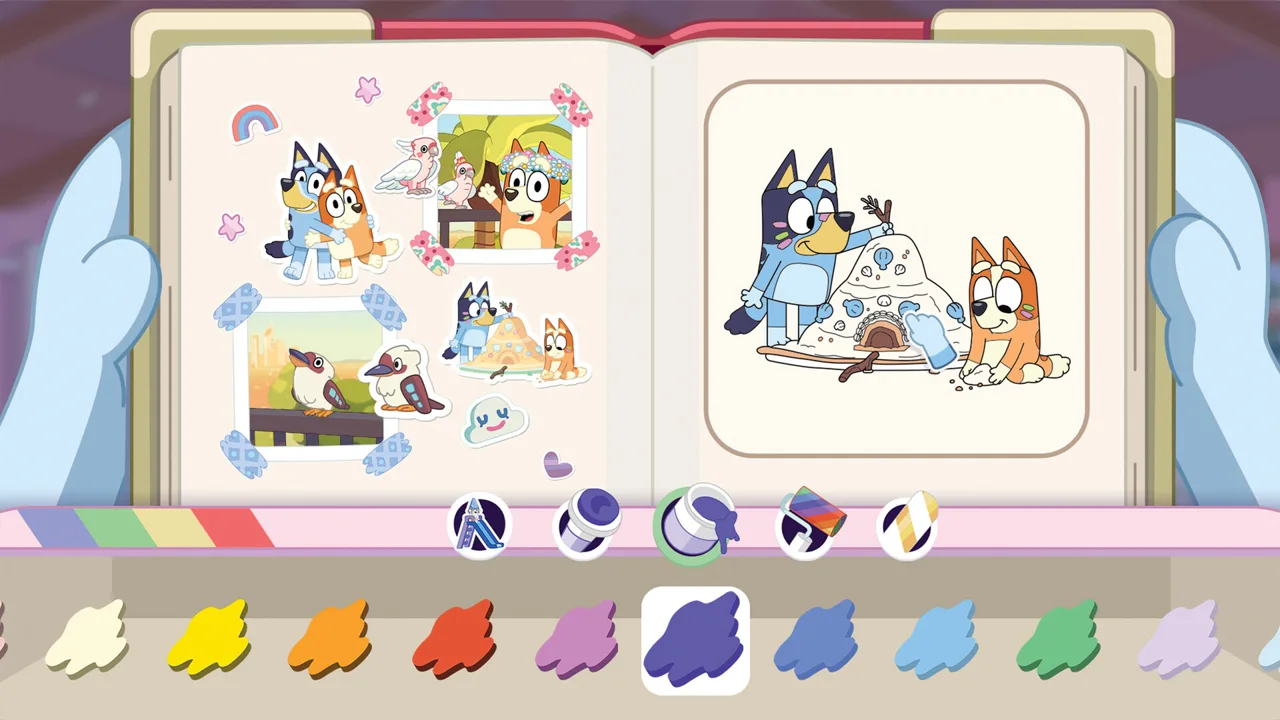
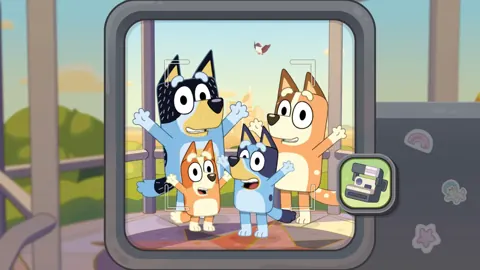
Snapshots are saved to your scrapbook, and taking photos unlocks stickers inspired by the characters, animals, and activities you encounter. You can arrange pictures and decorations, use stamps and washi tape, and color pages.
The collection includes hundreds of stickers and decorations. Costumes for Bluey and Bingo also become available as you play.
Try organizing pages around an outing, a favorite character, or Australian wildlife. Pair photos with related stickers, then use coloring pages and decorative tape to give each spread its own look. These are creative choices you can make with the scrapbook tools.
What does “Play for Real Life” mean?
The game includes ideas for activities away from the screen. Examples include birdwatching, building cushion forts, making things with cardboard boxes, and creating games with everyday toys.
Pick an activity that connects with what you just enjoyed. After photographing wildlife, spend time spotting birds outside. After exploring imaginative games, build a cardboard creation together. The feature gives you prompts to carry that curiosity into family play.
How Does Two-Player Local Co-Op Work?
Two players share the adventure locally as Bluey and Bingo. The main player leads from behind the camera, while the second player explores, poses for pictures, and joins in with toys.
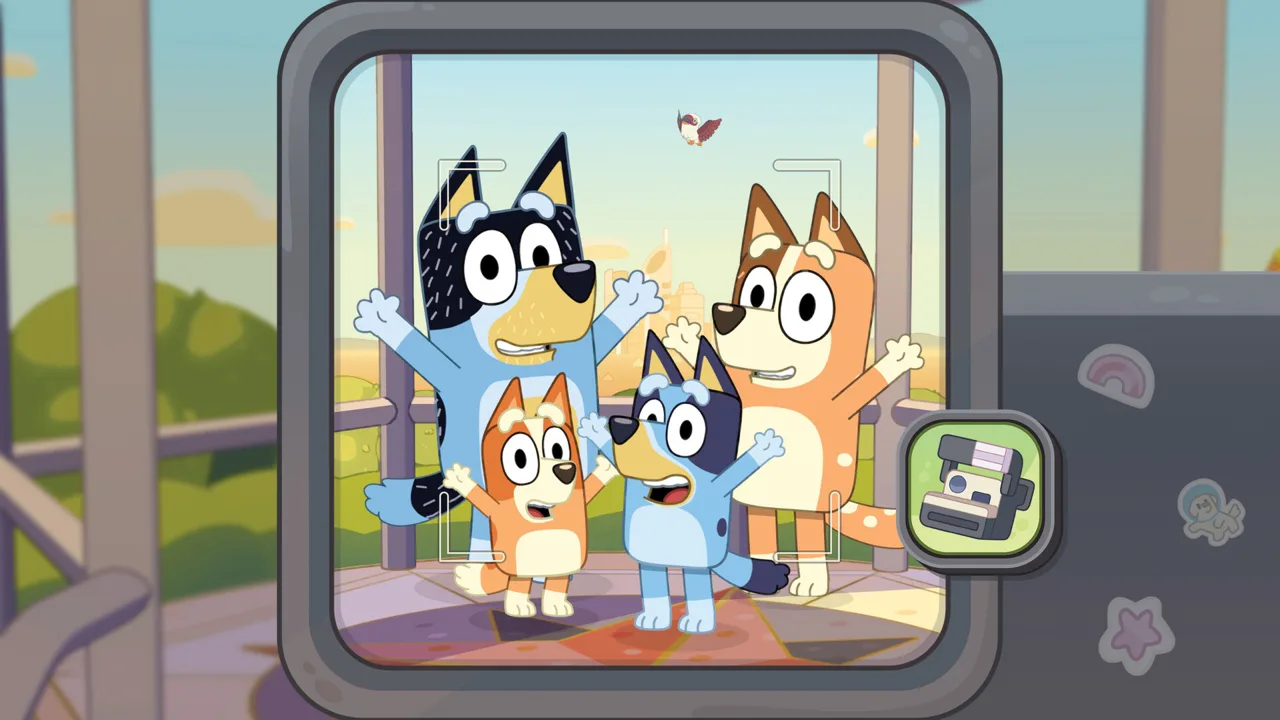 Image: Steam / Gameloft
That division of roles matters when planning a session. Someone needs to handle photography and lead the adventure, while the other player can help create the moments worth capturing.
For families using this Bluey's Happy Snaps FAQ to plan couch co-op, discuss those roles before starting. Let the child who wants to compose pictures take the camera role, or have a grown-up lead while a younger player explores alongside them.
During play:
- Coordinate a photo: Ask the second player to pose while the camera player frames the shot.
- Use toys together: Include shared play in your outing instead of focusing entirely on photographs.
- Choose subjects together: Let each player suggest a friend, animal, or activity to capture.
- Decorate around shared memories: Build scrapbook pages around moments you both helped create.
The game supports solo play, too. A second player is an option for sharing the adventure, so you can still explore and collect photos on your own.
Can you play with friends online?
There is no online play. Two-player sessions happen through local co-op.
Internet access still has a separate role in downloads, updates, and cloud gaming. The free update adding additional voice languages requires an internet connection. Xbox Cloud Gaming also uses an internet connection and has its own access requirements.
For Xbox cloud play, a controller, an eligible Game Pass Essential, Premium, or Ultimate subscription, and a game purchase are required. Keep cloud access separate from multiplayer: streaming the game does not add an online co-op mode.
Which Edition Should You Buy?
The main edition question is whether you want the base adventure or the additional Grannies content, dress-ups, and digital album.
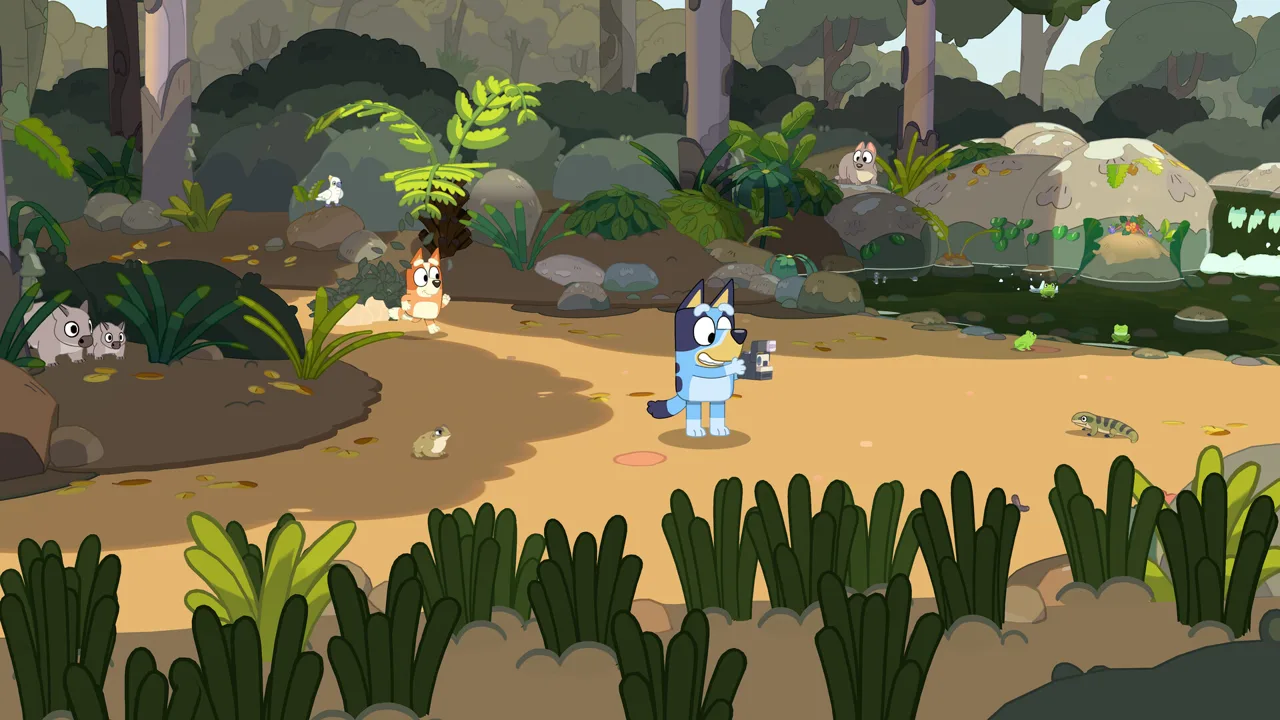 Image: Steam / Gameloft
On Nintendo Switch and Nintendo Switch 2, regular U.S. prices are $39.99 for Standard and $54.99 for Deluxe. Those are Nintendo prices; check your platform’s checkout price before buying.
| Edition | Included content |
|---|---|
| Standard Edition | Base game |
| Deluxe Edition | Base game, “Here Comes the Grannies” bonus content, extra dress-up items, and a Digital Deluxe Album |
| Activity Book Edition | Deluxe Edition, a 44-page activity book, and two additional sticker sheets |
The Digital Deluxe Album includes artwork and a look behind the scenes at the game’s creation. The Activity Book Edition adds drawing pages and simple activities for children.
A limited-time Steam launch offer makes Deluxe available for the price of Standard. Check the current edition price on the Bluey’s Happy Snaps Steam purchase page before completing your order.
Use this Bluey's Happy Snaps FAQ edition checklist when comparing copies: look for the Grannies bonus content, extra dress-ups, digital album, and any physical activity materials you want. The edition names represent different bundles, so compare the included items directly.
Are physical copies available?
Physical editions are available in select markets for supported Nintendo, PlayStation, and Xbox consoles. Regional release dates differ: physical editions in Japan, Southeast Asia, Hong Kong, and Taiwan arrive on November 26, 2026, following the October digital launch.
Match the package to your console and check its regional release date before ordering a gift.
For physical Xbox copies, disregard the HDR10 claim printed on the packaging. The game does not support HDR10.
What Languages and PC Hardware Does It Support?
English voice acting is available at launch. Text support covers multiple languages, while additional voice languages are being added through a free update after release.
| Language feature | Supported languages |
|---|---|
| Launch text | Australian English, U.S. English, German, Japanese, Castilian Spanish, Latin American Spanish, Brazilian Portuguese, Simplified Chinese, Traditional Chinese, French, and Italian |
| Launch voice acting | English |
| Additional voice acting through a free update | Castilian Spanish, Latin American Spanish, French, German, Italian, Japanese, Brazilian Portuguese, and Mandarin |
PlayStation’s launch language options include English, Latin American Spanish, French, and Brazilian Portuguese.
If you are reading this Bluey's Happy Snaps FAQ before setting up the game for a child, choose the language they understand and download the voice update when available. Text translation and spoken dialogue are separate features, so check both settings when preparing a session.
Dutch and Korean are outside the language options above.
What are the Steam PC requirements?
The Steam version supports Windows and requires a 64-bit processor and operating system. It includes full controller support, with a gamepad recommended.
| Component | Minimum | Recommended |
|---|---|---|
| Operating system | Windows 11 or a valid compatibility layer | Windows 11 or a valid compatibility layer |
| Processor | AMD Ryzen 5 1600X or Intel Core i5-9400F | AMD Ryzen 5 3600X or Intel Core i5-10400 |
| Memory | 8 GB RAM | 16 GB RAM |
| Graphics | AMD Radeon RX 6400 or Nvidia GeForce GTX 1650 | AMD Radeon RX 5700 XT or Nvidia GeForce RTX 3050 |
| Network | Broadband internet connection | Broadband internet connection |
Compare your processor and graphics card as well as your memory before buying. The recommended configuration doubles the minimum RAM, from 8 GB to 16 GB.
Steam features include achievements, Steam Cloud, and Family Sharing. Native Mac and Linux versions are not supported.
FAQ
What does this Bluey's Happy Snaps FAQ cover about multiplayer?
The game supports solo play and two-player local co-op. One player leads behind the camera while the other explores, poses, and plays alongside them as Bluey and Bingo. There is no online multiplayer.
Does Bluey’s Happy Snaps have microtransactions?
No. Bluey’s Happy Snaps has no in-game purchases. Standard, Deluxe, and Activity Book editions have different included content, so compare those bundles before choosing your copy.
What do you get for taking photos?
Photos become scrapbook memories and unlock stickers inspired by friends, wildlife, and activities. You can personalize pages with pictures, decorations, stamps, washi tape, and coloring. Bluey and Bingo also have costumes to unlock along the adventure.
Does Bluey’s Happy Snaps include non-English voices at launch?
English voice acting is available at launch. Additional voice languages arrive through a free update requiring internet access: Castilian Spanish, Latin American Spanish, French, German, Italian, Japanese, Brazilian Portuguese, and Mandarin.
Continue with
 Bluey's Happy Snaps Reddit: Co-Op, Tips & Buying GuideSearching Bluey's Happy Snaps reddit? Explore local co-op, scrapbook tips, editions, language options, and launch details before the family starts playing.
More in Guide
Bluey's Happy Snaps Achievements: Steam Completion Guide
Explore Bluey's Happy Snaps achievements with all 20 Steam IDs, unlock rates, scrapbook tips, and a practical checklist for your completion-focused run.
Bluey's Happy Snaps Age Guide: What Parents Should Know
Bluey's Happy Snaps age guide: explore the Everyone rating, local co-op, photo activities, and family play tips to decide how your child can join the fun.
Bluey's Happy Snaps Beginner Guide: Camera & Play Tips
Use Bluey's Happy Snaps beginner guide to solve photo clues, unlock scrapbook rewards, enjoy local co-op, and explore with Bluey and Bingo. Say cheese!
Bluey's Happy Snaps Buddy Mode: Two-Player Co-Op Guide
Explore Bluey's Happy Snaps buddy mode with tips to local co-op, camera roles, toys, and scrapbook fun. Plan a playful adventure for two players at home.
Join the community
Official channels for news, updates and player help: