Bluey's Happy Snaps Nintendo Switch: A Family Guide
Explore Bluey's Happy Snaps Nintendo Switch with details on local co-op, Switch 2 features, editions, storage, and scrapbook tips for your family game.
Jump to
Is Bluey's Happy Snaps on Nintendo Switch?
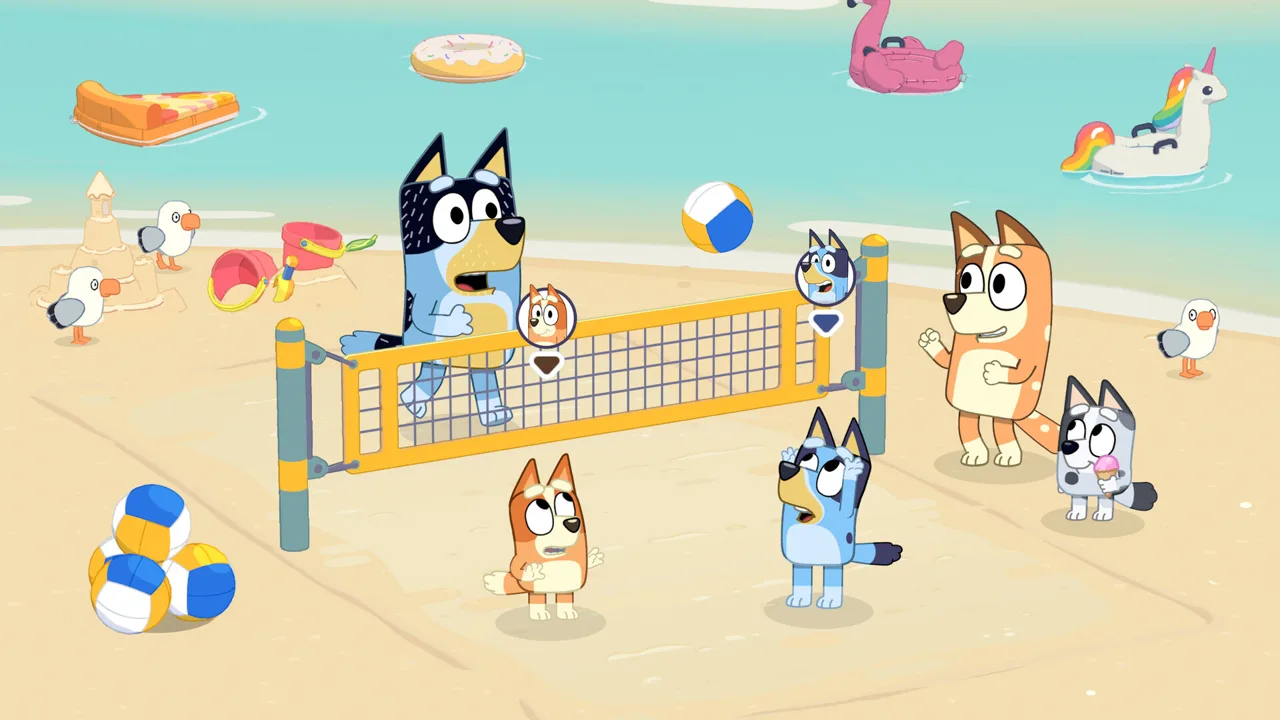
Bluey's Happy Snaps Nintendo Switch turns Dad’s old camera into a reason to explore, play, and collect memories with Bluey and Bingo. Released October 15, 2026, the game combines photography, scrapbook decorating, and local two-player fun, giving families several ways to join the adventure. This Bluey's Happy Snaps Nintendo Switch guide covers console differences, editions, and the features to understand before picking up a copy.
The setup feels right at home in Bluey’s world: the sisters discover Bandit’s camera and take it along on their outings. You explore familiar places, photograph wildlife and friends, and use those snapshots to create personalized scrapbook pages.
Developed by Gameloft Brisbane in collaboration with Ludo Studio and BBC Studios, the adventure includes the Heeler house and locations around Brisbane. Familiar games and everyday discoveries give you plenty to photograph between scrapbook sessions.
| Nintendo Switch detail | What to know |
|---|---|
| Release date | October 15, 2026 |
| Digital game size | 4.4 GB |
| Supported play modes | TV, tabletop, and handheld |
| Players | Solo play and local two-player Buddy mode |
| Online multiplayer | No online play |
| In-game purchases | None |
| Physical release | Available in select markets |
For a digital purchase, leave room for the 4.4 GB game download. Updates also require an internet connection, including the planned additional voiceover languages.
Open the Bluey's Happy Snaps Nintendo Switch purchase page when you’re ready to choose a digital edition. For a boxed copy, check the console name and included edition before buying.
Nintendo Switch vs. Nintendo Switch 2
Bluey's Happy Snaps Nintendo Switch and the Nintendo Switch 2 version both bring the camera-and-scrapbook adventure to Nintendo hardware. The Switch 2 version adds performance improvements and a different way to interact with your scrapbook.
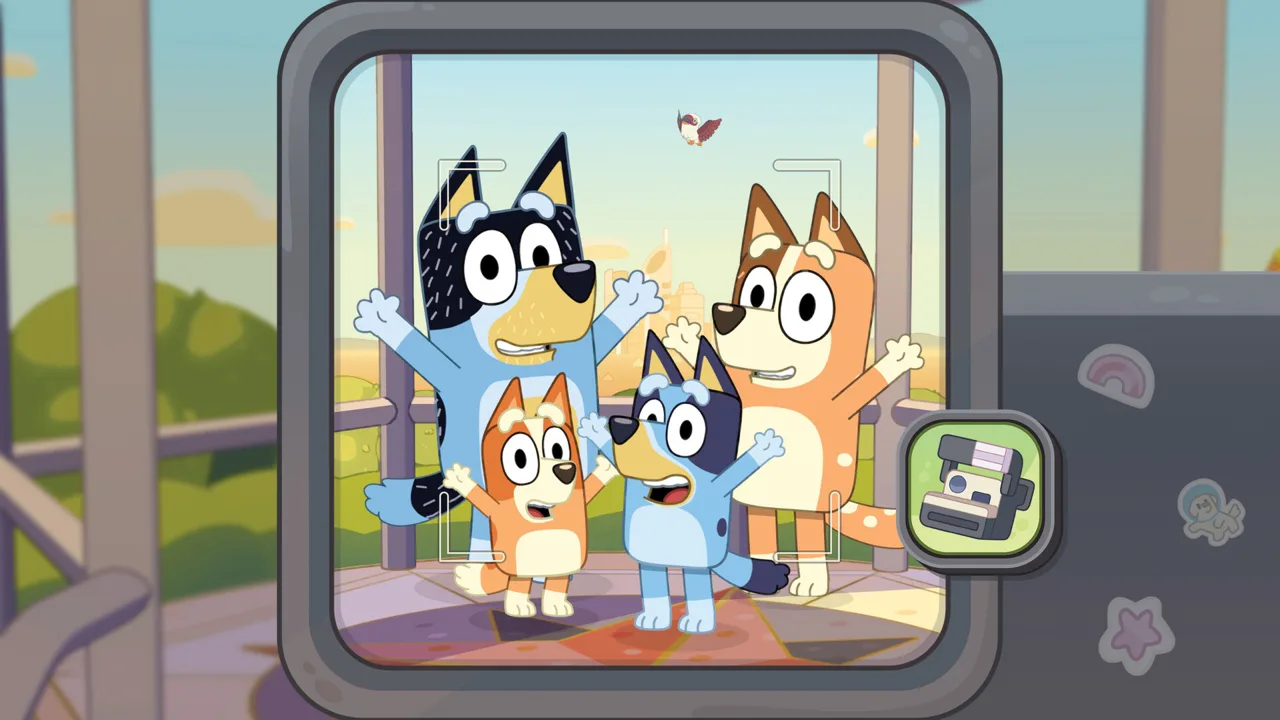 Image: Steam / Gameloft
On Switch 2, you get a higher frame rate, faster loading, and greater visual detail. Joy-Con 2 mouse controls also let you decorate and color scrapbook pages using the controller as a mouse.
| Feature | Nintendo Switch | Nintendo Switch 2 |
|---|---|---|
| Release date | October 15, 2026 | October 15, 2026 |
| Game file size | 4.4 GB | 4.4 GB |
| Performance comparison | Original Switch version | Higher frame rate and faster loading |
| Visual comparison | Original Switch presentation | Greater visual detail |
| Joy-Con 2 mouse feature | Uses the original Switch hardware | Mouse controls for scrapbook decorating and coloring |
Keep those differences in mind when choosing your copy. If you want the Switch 2 enhancements, select the Nintendo Switch 2 version specifically.
For scrapbook time, try the Joy-Con 2 mouse controls when playing that version. Arranging pictures and coloring pages are central activities, so give the alternate input method a turn alongside exploring.
On the original Switch, choose among the supported TV, tabletop, and handheld modes to fit your session. TV mode puts the adventure on a larger screen, while handheld mode keeps it on the console’s own display.
The differences above concern performance, presentation, and scrapbook controls. Base your purchase on the console you own and the features you want to use.
How Photography, Exploring, and Scrapbooks Work
The camera connects the activities in Bluey's Happy Snaps Nintendo Switch. You take pictures of characters, animals, toys, and games, then use your discoveries to fill scrapbooks and unlock decorative items.
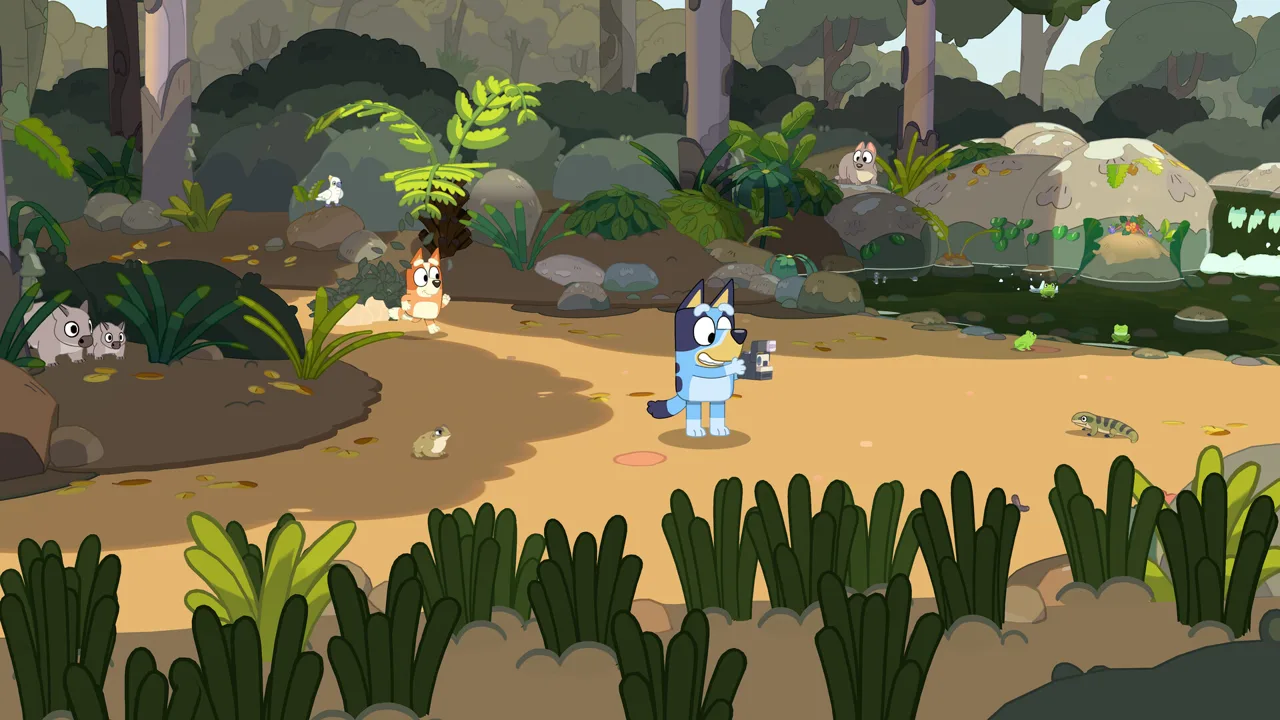 Image: Steam / Gameloft
Each destination has its own scrapbook. Photo clues help you identify subjects to find, while special activities provide opportunities to earn coloring pages. You also get a scrapbook to customize your own way.
| Activity | What you do | What it contributes |
|---|---|---|
| Wildlife photography | Find and photograph animals | Pictures and collectible stickers |
| Photo clues | Listen to clues and locate their subjects | Progress toward filling a destination’s scrapbook |
| Games with friends | Join activities and photograph the ending | Coloring pages for the scrapbook |
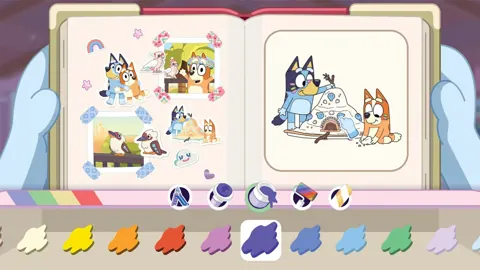
| Scrapbook decorating | Arrange snapshots, stickers, stamps, and tape | Personalized pages |
| Travel activities | Play I-Spy between destinations | More photography during the journey |
Follow the photo clues
Start with a scrapbook clue, then look for its subject while exploring. Selecting a sticker lets you hear a photo clue, giving you a specific target without requiring you to read every prompt yourself.
At the park, subjects include birds, plants, and playground objects. Listen for the clue, look around the area, and photograph the matching subject.
Keep taking pictures as you explore. Finding photos fills a progress meter toward another scrapbook and a new place to visit. Follow the game’s prompts when you have enough photos to move on.
Make time for games
Photography also connects to activities with Bluey’s friends. Shadowlands, pretend taxi rides, and making a magic potion are among the games you can encounter.
Join the activity and take a photo at its ending to collect the associated coloring page. That gives you something to decorate after the action finishes.
Move between games and quieter discoveries during an outing. Photographing a bird and joining a pretend adventure both contribute to your scrapbook, so leave time for each.
Explore familiar places
South Bank brings the riverside setting associated with “Ice Cream,” including water dragons and cheeky bin chickens. The Lookout connects to “The Sign,” while the park recalls “Spy Game.” Hammerbarn and the Heeler home also feature in the adventure.
Look around the house between outings, too. Its rooms contain interactive details and references to the show, and scrapbooks found at home lead to other destinations.
When decorating, try grouping animal photos together or building a page around a favorite game. Use stickers, stamps, tape, and coloring tools to give each page a theme. The photos are yours to arrange, so experiment with different combinations.
Playing Together in Buddy Mode
Buddy mode lets two players share Bluey's Happy Snaps Nintendo Switch locally. Player one controls the camera and leads the adventure, while player two explores, poses, and plays with toys.
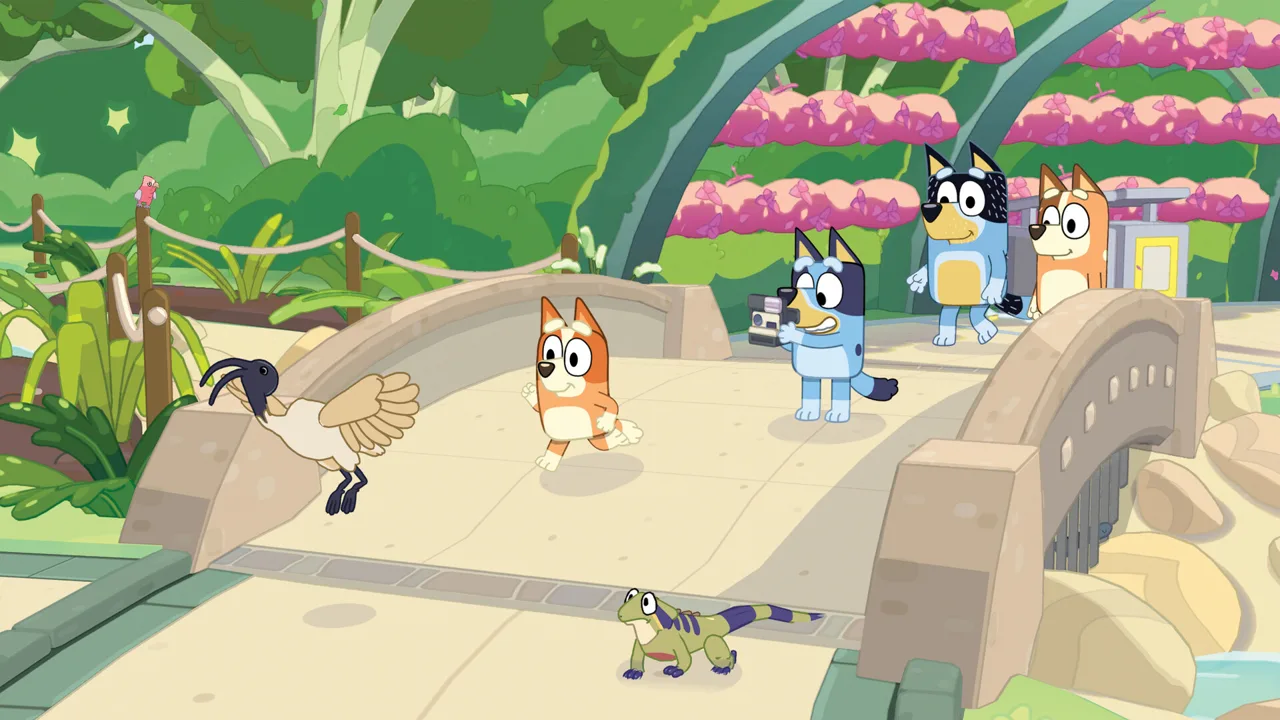 Image: Steam / Gameloft
The roles give each person something different to do. One player can frame a picture while the other becomes part of it, and toys provide opportunities to play together along the way.
Before starting, decide who wants to take photographs and who wants to explore in front of the lens. Switch roles between sessions if both players want a turn with the camera.
During shared play:
- Ask the second player to pose while you frame a character photo.
- Explore toys together instead of moving straight to the next photo clue.
- Listen to scrapbook clues together and look for the subject.
- Choose favorite pictures together before decorating a page.
Keep the camera role in mind when helping a younger player. Take that role yourself if they want to focus on moving around and playing, or let them lead if photography is what interests them.
Buddy mode is local multiplayer, and the game has no online play. It also has no in-game purchases.
Nintendo Switch Online is required for Save Data Cloud backup. That cloud feature is separate from Buddy mode and does not add online multiplayer to the adventure.
Editions, Languages, and Play Beyond the Screen
When buying Bluey's Happy Snaps Nintendo Switch, compare the included content as well as the platform. The Standard, Deluxe, and Activity Book editions offer different packages.
| Edition | Included content |
|---|---|
| Standard Edition | The base game |
| Deluxe Edition | The base game, “Here Come the Grannies!” bonus mode, extra dress-up costumes, and a Digital Deluxe Album |
| Activity Book Edition | Deluxe Edition content, a 44-page activity book, and two extra sticker sheets |
The Deluxe Edition adds the Grannies mode and more costumes for dress-up play. Its Digital Deluxe Album includes artwork and material about the game’s creation.
The Activity Book Edition adds physical activities to the Deluxe package. Its 44 pages include drawing and simple activities, with extra sticker sheets for more decorating away from the console.
Read the included-content description for the particular edition you select. Choose the Activity Book package if you want those physical pages and stickers alongside the game, or compare the digital editions if you’re buying through Nintendo.
Text and voice languages
American English text is available from launch, alongside Australian English, German, Japanese, Castilian Spanish, Latin American Spanish, Brazilian Portuguese, Simplified Chinese, Traditional Chinese, French, and Italian.
Full English voiceovers are included at launch. Additional voiceovers are scheduled for a free update shortly after release, covering Castilian Spanish, Latin American Spanish, French, German, Italian, Japanese, Brazilian Portuguese, and Mandarin.
Connect to the internet to download that update. Keep text and voice options separate when selecting a language: launch-day translated text and the additional voiceover update have different release timing.
Bring an activity into your day
“Play for Real Life” offers ideas for continuing the fun with everyday objects and surroundings. Examples include birdwatching, making bubble wands, building cushion forts, and creating things from cardboard boxes.
Barky Boats can also inspire play in a creek, bath, or bucket of water. Helpful tips for grown-ups accompany these moments.
Pick an activity your child enjoyed in the game and use its accompanying suggestion as a starting point. After photographing wildlife, try spotting birds outside together. After a pretend game, gather toys or household materials to recreate the idea.
Use the physical activity book, if you own that edition, for another way to move from the console to drawing, coloring, and stickers.
FAQ
Is Bluey's Happy Snaps Nintendo Switch available now?
Yes. Bluey's Happy Snaps launched on Nintendo Switch on October 15, 2026. A Nintendo Switch 2 version also launched that day. Digital versions are available, with physical editions released in select markets.
Can two people play on the same console?
Yes. Local two-player Buddy mode lets one player control the camera and lead the adventure while the other explores, poses, and plays with toys. The game does not have online multiplayer.
How much storage does the Nintendo Switch version need?
The digital game size is 4.4 GB. The Nintendo Switch 2 version is also 4.4 GB. Leave additional room for downloaded updates.
What does the Nintendo Switch 2 version add?
The Switch 2 version includes a higher frame rate, faster loading times, and greater visual detail. It also supports using a Joy-Con 2 controller as a mouse for scrapbook decorating and coloring.
Continue with
 Bluey's Happy Snaps Platforms and Wishlist: Full GuideBluey's Happy Snaps platforms and wishlist guide: compare consoles and PC, explore editions, check Game Pass access, and choose where to buy or save it.
More in Platforms
Bluey's Happy Snaps Download: PC and Console Guide
Find your Bluey's Happy Snaps download on PC, PlayStation, Xbox, and Nintendo Switch. Compare editions, check PC specs, and get ready for family photo fun.
Bluey's Happy Snaps Nintendo Switch 2: Buyer's Guide
Explore Bluey's Happy Snaps Nintendo Switch 2 features, price, local co-op, mouse controls, and editions. Find out what to know before your family plays.
Bluey's Happy Snaps PS4: Release, Co-Op & Buying Guide
Play Bluey's Happy Snaps on PS4 with Bluey and Bingo. Check the digital release, local co-op, scrapbook activities, and family features before you buy.
Bluey's Happy Snaps PS5: Price, Co-Op & Buying Guide
Bluey's Happy Snaps PS5 is out now. Compare editions, check prices, explore local co-op, and get practical tips for photos, scrapbooks, and family play.
Join the community
Official channels for news, updates and player help: